
前言
原文
Enable autoscale in App Service
在這一篇文章中
我們會看到怎樣
- 啟用 autoscale
- 建立 autoscale rule
- 監視 autoscale activity
啟用 autoscale
- 在 Azure portal 打開你的 App service plan
- 選擇 Settings 內的 Scale out (App Service plan)
- 選擇 Custom autoscale
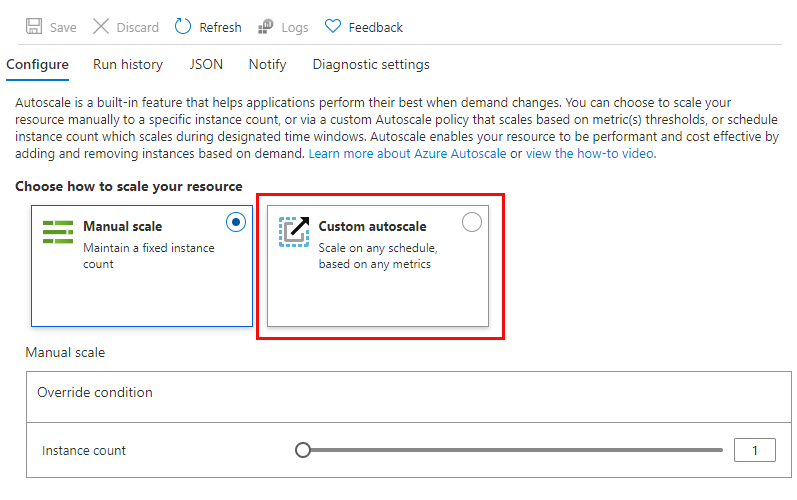
要注意的是 development 用的 tier 只能有一個 instance (e.g. F1, D1)
部份 tier 也只提供 manual scaling (e.g. B1)
如果你在用這些 tier,請先升級到 S1 或 P tier 以啟用 autoscale 功能
Add scale conditions
在你啟用了 autoscale 之後
你就可以新增 scale condition 了
如果你沒有設置的話
那 Azure 就會為你的 plan 應用一個預設的 scale condition
你可以為你的 metric-based scale condition 設定 instance 數量的上限及下限
同時也可以設定在甚麼時候啟用該 condition
Create scale rules
Metric-based scale condition 可以有一個或多個 rules
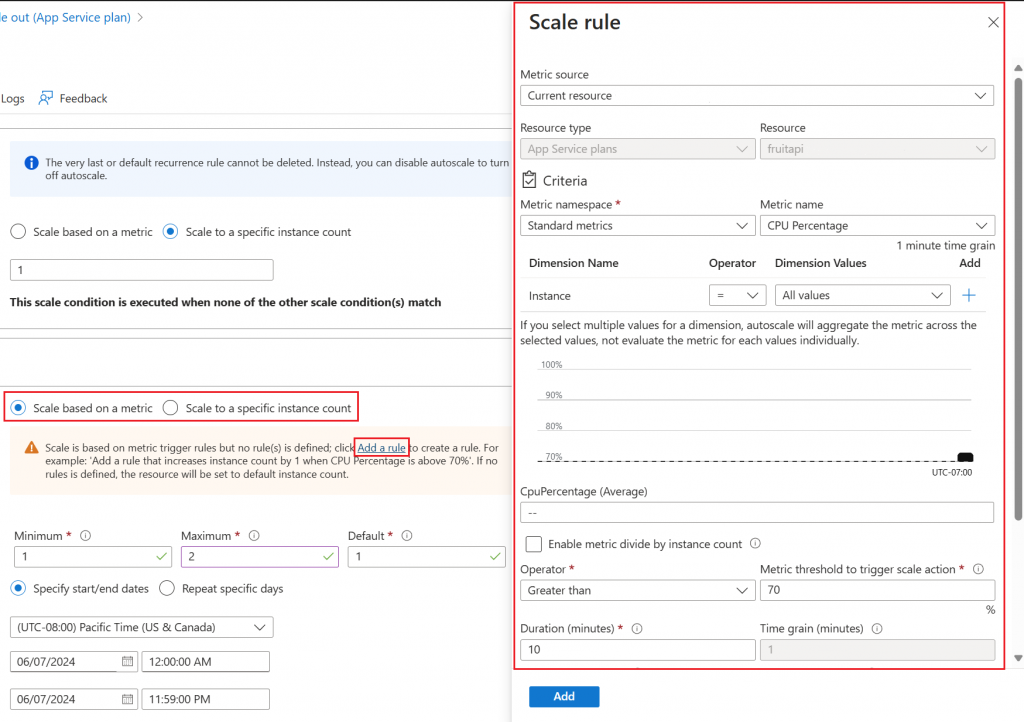
點擊 “Add a rule” 就可以新增一個 custom rule 了
你可以設置
- Trigger 的條件
- 執行的 action (scale out / scale in)
當中涉及的計量(metric)、彙總(aggregations)、運算子(operators)和閾值(thresholds)在前面的部份都已經說過了
Monitor autoscaling activity
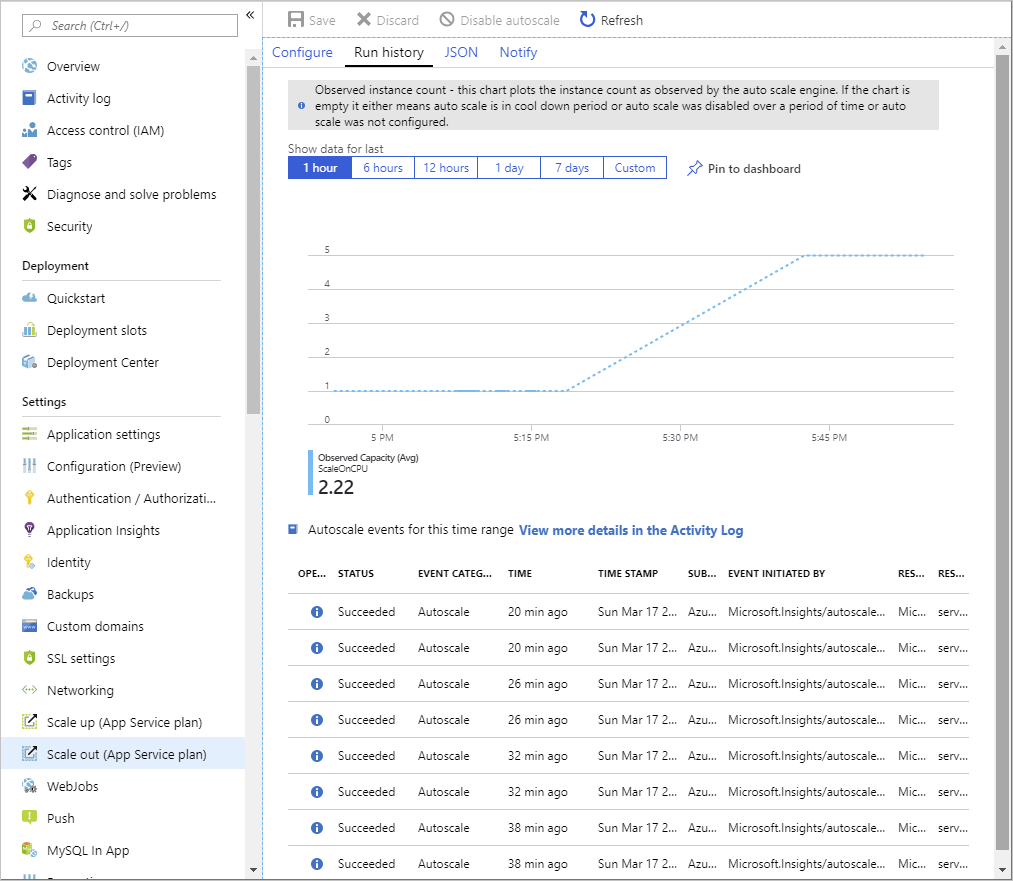
在”Run history”的圖表內
你可以看到和 autoscale 相關的記錄
當中包括了
- 在不同的時間點有多少個 instance
- 每次的 scale action 是因什麼 condition 觸發的
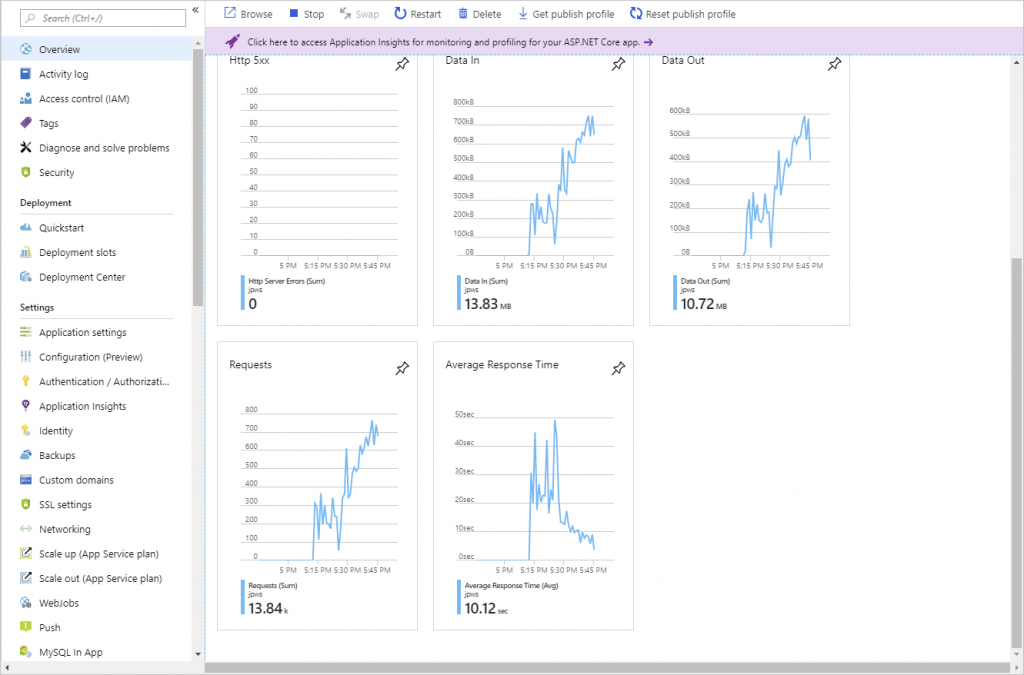
配合 overview 的圖表一起看
你就可以看到各項資源的使用率以及 autoscale 是怎樣互相影響的
![[科技日報] 2026年10月19日|微軟退出 Nscale 英國數據中心,AI 基建融資降溫](https://thinkdb.link/wp-content/uploads/2026/10/cover-19.jpg)
![[科技日報] 2026年10月18日|Anthropic 600 億美元芯片融資,付息逾 10%](https://thinkdb.link/wp-content/uploads/2026/10/cover-18.jpg)
![[科技日報] 2026年10月17日|中國擬將大模型與 AI 芯片納入出口管制](https://thinkdb.link/wp-content/uploads/2026/10/cover-17.jpg)
![[科技日報] 2026年10月16日|台積電 Q3 淨利增六成八,稱 AI 需求遠超供應能力](https://thinkdb.link/wp-content/uploads/2026/10/cover-14.jpg)
發佈留言